
















Advantages of Outsourcing Web Development Projects

A Quick Summary : In today’s digitally driven world, outsourcing web development is becoming more popular. Having an internet presence is required no matter what kind of industry it is. Because people want to know what a company does, how it may improve their lives, and why they should buy its goods or services, websites are essential. Due to this, operating without a website result in lost chances for marketing, income, and consumers. Therefore, if you’re building a website, a key choice is whether to engage an internal web development team or outsource the work to an outside firm. We’d advise outsourcing.

Websites are a major source of new business for businesses. Furthermore, they aim to talk about what they do by maintaining an internet presence. A future without digital platforms for businesses to use is difficult to envision. Customers who are going to spend time, money, and effort on a business first Google “about the business.” In conclusion, learning about web development is a good idea. But how to build a website is the real question. A company has two alternatives for website creation. The first step is to outsource to a web development firm. Second, assemble a staff of internal web developers. It’s challenging for a business owner to select one of the two possibilities. Most companies now choose to outsource their expertise.

Web Development

Web Development is the design, implementation, and management of websites. Website development also covers database administration and web programming. The term “web” in web development refers to a web page or a full website on the internet. The core tools for creating a website are HTML, CSS, and JavaScript.

Web Development Outsourcing

Web Development Outsourcing is engaging a web development business or third party to create the website since they have a skilled web development team. In a nutshell, the outsourced firm is your partner and an expert in handling web development tasks.

A business owner may wish to outsource web development for several reasons. Let’s have a look.

Benefits of Outsourcing to a Website Development Company

advantages-of-outsourcing

There are numerous advantages of outsourcing web development including lowering operating expenses and the time it takes to develop new products and introduce them to the market. When compared to hiring outsourced developers or creating an internal team, many business owners commend the benefits of outsourcing website development.

    • You save money

Web Development Outsourcing Company can help you save money by hiring an internal web development team. Save your money, in essence. First off, you won’t have to pay for the talent’s first acquisition. An Small-Medium Business (SMB) may find it difficult to handle the upfront money for hiring and retaining an in-house team. Outsourcing a web development firm might assist you to get the task done at a fraction of the cost of employing and maintaining an in-house staff. To discover a web development team that is affordable, outsourcing is recommended.

    • Skilled and unique talents

Another benefit of outsourcing web development companies is having access to a large skill pool. When you outsource to a web development business, you have access to resources that benefit your project.

The team of highly skilled specialists will already consist of:
-Quality Assurance Engineer
-Software Architect
-Business Analyst
-Project Manager
-Frontend Developers
-Backend Developers
-Web Designer

So, there is no need to spend time and money employing developers full-time.

    • Access to high scalability and flexibility

A Web Development Outsourcing Company recruits people for a variety of positions, including web designers, QA, frontend developers, backend developers, and UI/UX developers. Every employee they bring on board has a wealth of professional experience and expertise. When the timing is right, these experts bring excellent abilities to the table. Additionally, they keep up with emerging technology, industry trends, and other issues. This implies that the success of your endeavor is certain. They already have expertise in using the newest development technology stack to build cutting-edge websites and resolve web development-related problems.

    • It is a time-saving solution

Your time is always limited while creating a website. You thus need professionals who can meet deadlines and follow a schedule. In-house teams may struggle to manage deadline monitoring and make mistakes that take a long time to fix. Keep in mind that no company can afford to squander time attempting to fix mistakes or prevent disasters in today’s fast-paced technological environment. So, for agile development, it is important to work with qualified experts. Our recommendation is to hire a web development company that will help you outsource so you can save time, complete the project on time, and show a flawless website!

    • Proffer improved site security

You may decrease site security difficulties and lower risks with the aid of a seasoned, full-service web development business. Security on your website is crucial for both you and your consumers. Therefore, you require someone reliable to work on maintaining the data’s security.

If your website is hacked or suffers a data breach, it might be expensive for you. It might be surprising, but you indeed need an efficient team that can:
-Communicate guidelines properly
-Manage the project with higher standards
-Is capable of mitigating the risks
-Shares web development updates with you regularly
-Has an on-point project planning

    • Receive business support

The company you hire to outsource your web development should be willing to make a long-term commitment. The team, responsible for developing the website for the company covers all technical aspects of the project in addition to the overall project objectives.
Moreover, a committed outsourced web development team can become a helping hand for:
-Market research
-Competitor analysis
-Project concept preparation

Disadvantages of hiring an in-house web development team

Increased costs: It costs money to employ an internal web development team. Taxes, Rent, License Costs, and other expenses are also included in the total cost of recruiting the crew in addition to the six-figure wages paid each month.

Employee turnover: Because web developers frequently switch jobs for better salaries and working circumstances, you can have trouble keeping your workforce. The process of hiring new developers takes time and effort.

Local talent shortage: This is the most common and frequently found problem. Furthermore, there may be difficulties with the money or necessary soft skills even if you find someone qualified for the position.

Myths about Outsourcing Web Development

Offshore web developers are known for finishing projects quickly and performing their work excellently. The market does, however, also spread false notions about outsourced employment.

Now, let’s crack some misconceptions about web development outsourcing services.

    • Lack of intercultural communication
      Outsourcing web developers may raise concerns about different cultures, poor communication, and perspectives. By working with a reputable and competent web development business, it may be avoided. Select a business that has completed projects for several clients in the past.
    • Language barrier
      The language barrier occurs when you hire web developers from outside who speak entirely different languages. However, if you hire an IT business that communicates in a worldwide language like English, it shouldn’t be an issue.
    • They can leak your private information
      It is completely untrue. Any professionals with extensive experience in the field and connections to diverse clientele will never engage do fraud. Their reputation is a worry to them. To be secure, sign an NDA and other privacy agreements that can protect your secrecy if you want to be on the safe side.


Process for Outsourcing Web Development Projects with Genesis Web Technology

Connect with a concerned team member of our company: Get in touch with our concerned team to begin outsourcing your web development project to Genesis. This interaction will aid in your understanding of each phase. To ensure that the team can assist you with a successful outsourcing procedure, you must first discuss your requirements with them.

Sign NDA: Signing an NDA assures that the details of your project are safe with us and helps to maintain transparency throughout the web development outsourcing process.

Selecting a team: You now have the freedom to pick your team by interviewing each potential team member. Undoubtedly, we have a pool of engineers with experience in different web development technologies and industry verticals, and we can assist you in assembling a strong and committed team to work on the outsourced project. However, you have the freedom to select the team member who will be responsible for your project.

Select engagement models: The next crucial step is to select the engagement models that best suit your needs. We provide a variety of customizable engagement methods. For instance, you may select price structures or engagement models based on your project and level of flexibility. You can talk with us if you’re unsure, and we’ll assist you to choose the best pricing models.

Work begins: Yes, the procedure is complete, and now you can turn your attention to your primary business goal while the committed staff at Genesis works on your project.

Why is Genesis a Good Web Development Partner for Outsourcing?

Stop !

We provide you the best website development services at the most affordable costs..

— Affordable, modern, and high-quality web development.
— Our intentions go beyond monetary gain, thus we operate with transparency.
— Our skilled developers have in-depth understanding of creating dynamic websites.
— Our outstanding after-sales support is the factor for our popularity.

Outsource Now

You may get a lot of advantages through Genesis ! We are a group of experts committed to providing competitive websites. Our operations continue to be driven by efficiency and timeliness. So why are you holding back?

Find out more about web development outsourcing. We are eager to assist your company in a million different ways, so connect with us right now and speak with one of our professionals!

What You Need to Know About Google SEO Updates for 2022?

Search Engine Optimization (SEO) plays an important role as every day, Google handles 5.6 billion queries. When people start buying online, the majority of them turn to Google, but websites obtaining traffic from the searches is less than 10%. This implies that your company’s success might depend on where you rank in Google’s search results. As Google modifies its algorithms, the foundations alter year over year. Google makes an effort to give useful, dependable material top priority. They take into account the user’s location as well as data like page speed, pictures, and video.

SEO simply is the science and art of getting a website to rank higher in search results. The foundations alter annually as Google makes adjustments to its algorithms. While prioritizing content, Google makes an effort to give relevant, helpful, and high-quality content. However, Google’s priority depends on the details like graphics used, video content, user’s location, and page speed.

In 2022, Google is implementing several major improvements to search. Below listed are some of the important ones that need to be considered during implementing SEO:

  • Improved tracking of page experience

Although a web page’s content is what counts most for ranking, how the website is used also matters. Nobody wants to visit a website that is excessively sluggish, risky, and overrun with advertisements. Google now places a high priority on-page experience. The page experience has some factors: HTTPS usage, mobile usability, speed, ad issues, and security issues.

This update’s goal is to prioritize sites that users can read easily, regardless of their content. Although content is still crucial, you must also ensure that your website is secure and well-organized as a whole. Make sure to maximize page speed as much as possible.

With the help of their Search Console, Google allows you to go into your own page’s experience report. There’s no room for speculation! With the help of this tool, you may precisely determine how well your pages are doing and determine how to improve them.

page-experience


  • Reducing link spamming’s efficacy

Almost as many blue words as black may be found when you open any blog post on the internet. Over the past several years, and not necessarily for the best reasons, the average blog post’s hyperlink count has increased.
Google is actively pursuing this approach. They discussed how they are taking action against link spam in a recent blog post. What is their advice? Assemble outbound link according to recommended procedures. For example, rel=”sponsored” should be included in links that are used in marketing campaigns to affiliate websites.

link-spamming

  • Giving more priority to relative contents

Google must filter the relevant and irrelevant content as there are often millions of websites competing for the top place for a single keyword. As this problem existed from the very beginning, Google is still trying to figure out the solution. Search engine ranking points will be deducted from pages with deceptive titles or unrelated content.

Just don’t try to trick people if you want to keep your information current. Don’t over-saturate your website with useless data, pointless keywords, and click-bait headlines devoid of meaningful content. Produce top-notch, targeted content instead. Instead of considering what you believe Google’s algorithms would appreciate, consider what readers would like reading.

SEO-priority-contents

  • Taking action against keyword spam

For years, using excessive amounts of keywords has been considered unethical in SEO. Previously, this may have referred to a wall of pointless writing. Google must stay up with the more cunning keyword spammers of today.

Your content can be marked as spam if you use the same word repeatedly and without cause. When discussing your topic, it is a good idea to employ a larger vocabulary. Google wants to find excellent content that is pertinent to the search term. They will choose material based on synonyms and other words with comparable meanings to do this. If you are still discussing the same subject, including a keyword may not even be essential to rank for it.

So, the question remains here, “What ought you to do?”.

The answer is simple, “Simply write contents normally. Use a term as often as it feels natural when doing so. Don’t break the laws of grammar to include your keyword one more time. To avoid using the same words again, utilize synonyms”.

keyword-spam

  • Considering images and videos as Ranking factor

Frequently, multimedia makes up high-quality content. Together with the text, it may also include photos and videos. Google is now able to use information from various media to assist rank even though the text will still predominate in the search algorithm.

Ensure your videos and photos are of the highest caliber and pertinent to your message to get the most out of them. To further ensure their relevancy to the page, you may even ensure that their title information indicates this.

google-search-ranking

  • Giving preference to local results

If possible, people frequently like to shop locally. A fast journey to a neighboring store is preferable to even Amazon Prime’s 2-day delivery. Because of this, Google favors search results that are relevant to the searcher’s location.

This factor is just so much you can optimize. If you are positioned somewhere, you cannot be located elsewhere. The best action you can do to improve your local rankings is to confirm that Google is aware of your location. To achieve this, confirm that your website contains up-to-date contact information along with your address.

local-SEO

  • The Multitask Unified Model (MUM)

Google launched MUM, or the Multitask Unified Model, last year. Generally, MUM is neural-network AI that attempts to comprehend your inquiry. MUM understands information in both text and picture formats, and it is expected to interpret video in future editions.

An earlier Google technology called BERT has been upgraded into MUM. Although MUM is said to have a potential 1,000 times more than BERT, BERT was also created to help individuals search more effectively. MUM can search for and translate content into 75 different languages. By doing this, Google can access more data to respond to your queries. By handling more complicated inquiries, MUM helps to streamline the search engine experience. MUM strives to find an informative response to your query rather than just looking for keywords.

Previously, users had to perform repeated searches to find relevant information. Assume you have ascended Mt. Fuji in Japan and want to see if you are capable of climbing Mt. Everest. MUM can see from your search query that you’re talking about two separate mountains, and how your experiences on each may differ. It may then search for information like legal requirements, training, required equipment, et cetera.

Some of the MUM’s specific features are:

    • Use of images and Google Lens for visual search
    • Translation of results from multiple language sources
    • Subtopics suggestions for search queries
    • “Things to know”, a section providing key info regarding your search results.
    • With no search keyword change, options will be available to broaden or refine the search.
    • Recognizing misspelled words
    • Recognizing key moments in videos

MUM will probably have a wide range of advantages, but given how recent the technology is, some testing could be necessary. MUM can handle queries that are both complex and specialized. Think about publishing articles that address every possible query a potential buyer could have. Additionally, adding relevant, high-quality photographs to your text may help.

Multitask-Unified-Model-MUM

  • Accenting E-A-T

Expertise, Authority, and Trustworthiness are abbreviations for E-A-T. Accenting E-A-T is Google’s solution to the contemporary disinformation dilemma. Simply, it means you could benefit from those links that are linked to verified, expert, and trustworthy information whereas linking to false information and fake news will harm you. This might not be important to every sector but critical organizations like health and finance must consider this.

Linking to different kinds of sources like articles, journals, verified websites, government publications, et cetera could help to get more E-A-T.

google-E-A-T

In terms of SEO, Google always comes up with new ideas and solutions but making quality content and posting it to your website are still the cornerstones of effective SEO. Consider satisfying people rather than machines. But you do have some flexibility to add a few more points here and there thanks to Google’s recent improvements. Additionally, if you try to cheat, you have the chance to forfeit a few points.

For any SEO related services, Remember Genesis, we can help you out!


Do Rankings get Affected by Slow Website?

Everyone detests waiting. Not only may a slow website repel visitors, but a slow website affects rankings too. With 86% of people choosing Google over Bing, Google has set its position as the most widely used search engine. So, you should take its algorithm into account while developing your SEO approach.

Speed plays a significant role in search engine rankings. A slow website is like a dull knife. Google has been quite clear that it prefers pages that load quickly. You lose out on conversions and revenue if your website loads slowly and visitors leave quickly. Quickly loading websites are more likely to make users satisfied, and Google rewards these pages with a better SERP position.

slow website loading at 80%

Website Speed & Google

Website speed is very important to Google. Websites having a Google PageSpeed Insights score of less than 90 are pushed well down in the search results. Pages that provide customers with a bad experience or make them wait for too long are not ranked by Google.

Slow Website & High Bounce Rates

The percentage of visitors that leave your website as soon as they arrive is a crucial statistic known as the bounce rate. Bouncing off your website indicates that visitors are unhappy with what they see or with how long it takes to discover what they’re searching for. These guys won’t provide any SEO advantages for you. To stand a chance of ranking highly, your bounce rate must be in the range between 26% and 40%. Over that threshold indicates a greater bounce rate, which indicates lost traffic. Google will find it difficult to rank your website if you’re losing visitors.

Performing a Speed Test

There are numerous free tools available online that you can use for speed tests. Some of the tools are:

Once the test is complete, you will see several graphs and data detailing your website speed. You should not expect a perfect score as this is very unlikely. Each tool will interpret these findings differently and offer suggestions for raising performance. Understanding the significance of these figures is crucial so that you can take appropriate action to boost conversion rates.

Below are some ways to boost your results:

  1. By fixing all the broken links
  2. By using Content delivery network (CDN)
  3. By shrinking images to less than 200KB
  4. By considering cloud hosting
  5. By caching web pages

As you know now that slow website is not good for SEO. They cause lower ranks and increased bounce rates. But fear not—we’ve been making websites faster for clients all across the world.

We, Genesis, have the expertise to create robust, busy websites that load incredibly quickly.

Why you should consider redesigning your website ?

Website Redesigning sounds like a heavy, expensive, and unnecessary task but it is the most important thing that needs concern eventually.

“An outdated website results in a negative impact on your business.”

Your website may be running smoothly and has been for several years. So, why should you consider website redesigning in first place. The question remains here, “Could it look or function better?”.

Let me ask you a simple question,

“Have you ever visited another company’s website and been completely stuck at what you saw there?”

Some websites are simply so wonderfully designed that you can’t help but be amazed and want to spend some time browsing and exploring them.

Before jumping to the reasons, let us know about the Benefits of website redesigning.

  1.  Branding Improved
    A new website will assist to establish your brand’s consistency. Your website will encourage trust and brand identification among customers with a modern design. Ultimately, such redesign may do wonders for your brand-building endeavors.
    If your website seems cheap and old, does not function properly, or delivers a poor user experience, it may put off potential clients. A website redesign helps maintain your business relevance and strengthens your brand image with a great impression.
  2. Better rankings in search engines
    A well-designed website also implies improved SEO. In reality, your website’s redesign should include search optimization from the coding to the final responsiveness. Finally, this will help you climb the SERPs, resulting in more organic visitors. Visitors will browse your site and check out more pages if your site structure is improved, with low bounce rate.
    Finally, a well-designed website may attract more backlinks. This will provide you a strong push for even better Google ranks and increased referral traffic.
  3. Improved flow of information
    The main goal of a website is to offer information that encourages visitors to take the required action. Whether it be by informing them about your business, and your founder’s background, or simply by providing them info about your products and services.
    Naturally, people expect to always have the information they need in front of them. Additionally, you need to have an effective information flow so that people thinks about your products and buy from you.
    When you redesign your website, you may try your best to organize and arrange your content so that people can naturally move from one page to the next and locate everything that matters.
  4. Increment in revenue and costs reduced
    A website redesign increases your income by enhancing brand consistency & rankings, and directing visitors to conversion events. Likewise, it also reduces your costs. After you complete a thorough redesign of your website, you get the chance to assess your CMS (Content Management System) and hosting. A brand-new website can also function considerably faster for all visitors using much less server space.
    Additionally, website redesigning is more economical than regularly fixing functionality problems and adding new features. It’s preferable to start over completely rather than adding a lot of band-aids to your current website. The most crucial benefit of all is that a website redesign will reduce the expense of missed chances and lost money brought on by your outdated, clumsy website.

The well-designed and perfectly developed site will create a vibe around and enable viewers to either access the service from the site or return in the coming days. The appearance and feel of your website will make a first impression on many of your prospective prospects.

We’ve developed a list of convincing Reasons why you should consider redesigning your website.

  1. Your website appears outdated or unreliable
    Whether you like it or not, almost 75% of consumers make their decision about the legitimacy of your company purely on the way your website is designed. So, redesigning your website will have a good information flow about your company, product/services, and motto. This will help in building a trustworthy environment.
  2. Your website’s foundation is weak
    If you’re spending more money on band-aid fixes on issues than on creating new tools for functionality and content, you probably have core flaws that will wind up costing you more in the long term than if you had just constructed a new website.

    1. Issue 1: Your website isn’t speed-optimized
      Did you know that 40% of users would leave a website if it takes more than three seconds to load. And, 47% of visitors expect a website to load in less than two seconds?. Google’s algorithm now takes website speed into account to favor those that load quickly.
    2. Issue 2: Your CMS Lacks SEO-Friendly Features
      Although, Google traffic is significant, it’s surprising that all CMS don’t allow their customers to optimize websites for search engines. If your website depends on Google traffic and your existing CMS is not SEO friendly, we advise breaking your connections with it and redesigning your website in a CMS with best-in-class SEO capabilities integrated into its functionality.
    3. Issue 3: You Don’t Have a Responsive Website
      Internet usage on mobile devices has increased dramatically. And since this tendency is expected to last into the future, a mobile platform is essential. No matter from what platform users access your website, it is responsive if it can handle them all. Google reports that 61% of consumers are unlikely to return to a website that doesn’t function properly on mobile. And, 40% consumers left the site and visits competitor’s website. You run a great risk of losing leads and consumers if your website isn’t responsive yet.
    4. Issue 4: Your Website Is Complicated to Use
      The usability of your website may have both good and bad effects on how it is managed, as well as on how it is received by users. The time it takes you to update your website and the money it costs to hire someone to update it adds up over time and can end up costing more than if you simply rebuilt it from the ground up.
    5. Issue 5: Adding Functionality Is Tough
      Your company should concentrate on well-designed functionality. Your attempts at generating leads and organic traffic can suffer if it isn’t. If your website is like the majority of others out there, you have integrated third-party widgets and tools like shopping cart widgets, email marketing forms, and landing page tools.
    6. Issue 6: Poor user experience on your website
      You’ve probably visited a website that, to put it mildly, frustrates you when you try to use it. This may seem obvious. By offering a great user experience, you ensure that the user has a positive overall experience from the moment they first visit your website until they convert.
      Two broad methodologies are involved in creating a great website experience:
      User interface (UI) Design –> If your visual representation is intuitive, consistent, and meets your user’s expectations across devices, you have a great user interface.
      Information Architecture (IA) Strategy –> By organizing your website in a way that meets user expectations, you have a great information architecture.
      Correcting these two issues might be the difference between a visitor staying on your website and converting and one who leaves in frustration and visits a competitor’s website.
  3. Rebranding your business
    Another strong and apparent reason to start considering a website redesign is a brand upgrade or rebranding of your business. You may have changed your logos, brand messages, content, product/services, and many more. So, for consistent appearance & feel and reflect any significant changes to your identity, it’s imperative to redesign your website.

You presumably already know that your website serves as the foundation of your company’s online presence and has a major influence on how people perceive your brand. Being consistent across all of your marketing platforms and consumer touchpoints can help you stand out from the competition. By doing this, you’ll be able to draw in more clients and win their loyalty and confidence.

If you feel your existing website doesn’t accurately represent your brand or if you want to modernize your brand then it’s time for your website to be redesigned.

  1. The website of your competitor makes you envious
    You don’t have to rebuild your website each time one of your competitors does. However, it’s crucial to remember that your company does not operate in a virtual vacuum. If the quality of your website is worse than that of your competitors, you are probably losing business to them.

Conclusion
Don’t be afraid to make improvements to your website, even if it means spending a lot of money. The results from such modifications will be fantastic. If you still aren’t receiving the outcomes you want from your website, even if it is pixel-perfect, practical, and stunning, it isn’t serving its intended purpose. To establish your brand, promote your company, and ultimately boost sales, you need a website. If your results are unsatisfactory, it’s time to consider a redesign. Please don’t hesitate to get in touch with us. If you need assistance with designing a professional website, redesigning it, or doing a whole overhaul, Genesis is here for you.


Mobile App Development in Nepal


What is Mobile Application development?

mobile application design comapny in Nepal

The process of creating mobile applications that operate on mobile devices is known as mobile app development.
These programs can either come pre-installed or the user can download them and install them themselves.
They work with remote computing resources by utilizing the device’s network capabilities.
In order to access back-end services for data access through APIs, create software that can be installed on the device, enable back-end services, and test the application on target devices are all necessary steps in the development of mobile apps.

You must take into account screen sizes, hardware specifications, and numerous other elements of the app development process in order to create scalable mobile apps. Given the rise in employment opportunities in the mobile app development sector, it is critical that business owners, startups, and in particular developers understand the complete life cycle of mobile application development.

Why is Mobile Application development crucial?

People now consider mobile phones to be just as necessary as a wallet or handbag. Mobile Apps increasingly influence our retail choices, trip plans, and the photos we take to preserve precious moments. This indispensable consumer tool is now also fueling commercial activity.

Companies must create mobile apps that access corporate systems, enable business operations, transmit information, or collect data as more employees utilize smartphones and tablets. Mobile app development is becoming a corporate priority as a result.

Web applications are not the same as mobile apps, despite the fact that some businesses utilize them to transmit information to mobile devices. They provide information via a web browser but are unable to utilize all of the hardware features of a mobile phone or tablet. More than 70% of businesses are inclined towards making a mobile application.


Types of mobile applications:

Various frameworks are used in the design and development of mobile applications.
These consist of:

  1. Native Mobile Apps :These are created specifically for a single platform and are built in a single programming language for a specific operating system, such as mobile apps for iOS or Android. Native mobile apps are quicker, more dependable, and have offline capabilities because they are created to operate on a particular OS or platform.
  2. HTML5 mobile Apps : These apps enable you to benefit from the write-once, run-anywhere method.
    The majority of simple apps are created using HTML 5. Cross-platform HTML5 mobile apps are efficient and affordable.
  3. Hybrid Mobile Apps: These apps have native viewer functionality and back-end programming.
    Some of the top apps in the world, including gmail, Twitter, Amazon, and others are hybrid applications.
    Plugins that give developers access to a platform’s native capabilities can be used by hybrid apps.
    They also develop more quickly and require less maintenance.

Why Native App Development?

When using native platform features, choosing native app development is beneficial. Native apps have access to the device’s hardware functions, such as the GPS, camera, and microphone, which speeds up the execution of features and makes it simpler to provide a rich user experience.

Native development makes it much simpler to implement push alerts. For instance, push notifications to pass between the Cloud Messaging Platform of Google and the iOS Server (APNS). Due to the fact that the code is written in the original language, native apps have fewer defects.


Why cross-platform app development?

Both iOS and Android have nearly a 50/50 market share. Any of the platforms, and occasionally both, may be where you find your potential customer. It takes a sufficient budget to create distinct apps for both platforms, and not all businesses have one. Additionally, developing native platforms can make it more difficult to provide the same level of speed and functionality that your program requires.

If you want to have one development team publish for both platforms, or if you want to align the user experience across both platforms, or if you don’t have the resources to create and manage two distinct apps, choose cross-platform development.

Why Progressive Web App Development?

PWAs (Progressive Web Applications) are developed using standard web languages like HTML5, CSS, and Javascript.
These apps can only be accessed using your device’s browser. Therefore, if your user will have constant access to network connectivity and they can solve their problems using the browser alone, without needing any native device capabilities like a camera, machine learning module, GPS, gyroscope, and so forth, then you should design a PWA.

In light of this, let’s examine the steps involved in developing a mobile app step by step and learn everything you need to know to create your next successful app.

Mobile application development process:

best web design company in nepal

Despite the overwhelming evidence in favor of creating an app, it is crucial to go through the entire mobile application development process. This will make it easier for you to see how your application fits with your objectives and your target market. Pick a route that will help you realize your vision. Here is a summary of the lifecycle of developing a mobile application.

  • Study : Every software starts with a concept. It can only be successful, though, if the concept is advantageous to the client. Make sure the demographics, motivations, and behavior patterns of your customers are included in your analysis.
  • Wireframing : By creating a thorough drawing of the desired product, you might find usability problems. Wireframing will help you organize and enhance your idea after drawing.
  • Analyze the technical viability : Your team’s ability to determine the initial functionality and feasibility will be aided by questioning, idea-generating, and status-reviewing.
  • Prototype : You can use this step to determine whether you are heading in the right path.
    Additionally, it will enable various stakeholders to view your app for the first time and confirm the data you have acquired.
  • Design : Produce many screen iterations.
    You’ll be able to envision the finished project thanks to the clear visual direction.
  • Develop : The real development of the mobile app takes place during this crucial stage of the app development process.
  • Testing : Delivering the software to consumers for testing the user experience. You may improve your software by adding what, in their eyes, is missing thanks to their input and thoughts.
  • Launch : Publish your app in the app store to launch it.
    Plan routine maintenance to eliminate issues and improve user experience.

Mobile Application development platforms:

Android and iOS are two significant mobile application platforms. Apple’s mobile operating system, known as iOS, was created exclusively for iPhones. Mobile devices made by Google and several OEMs run Android. Despite the fact that the two share a lot of similarities, they each employ a different software development kit. The top programming languages for Android are Java, Kotlin, C++, C#, BASIC, Lua, etc. The top programming languages for iOS include Swift, Objective-C, React Native, Flutter, and others.  In addition to the platforms for building mobile applications for Android and iOS, there are cross-platform development tools like Apache Cordova, Xamarin, Ionic, Python, Ruby, etc.

How to make sure your app is successful after launch ?

Track Key Performance Indicators (KPIs) for your app’s success when it is published to the app stores and use mobile analytics services to track user behavior. Check crash reports and other user-reported issues frequently.

Users should be encouraged to offer your firm comments and ideas for your software. Maintaining user interest will depend on providing end users with prompt support and, if necessary, constantly patching the program with enhancements. Mobile app updates must go through the same submission and review procedures as the initial submission, in contrast to web apps, where patch releases can be made instantly available to app users. Additionally, with native mobile apps, you have to regularly update your app for new mobile devices and OS platforms in order to keep up with technological changes.

Moreover, genesis being the best mobile application development company in Nepal, provides maintenance and support for all types of apps.

What is the price of creating a mobile app in Nepal?

Once more, the solution is based on functionality and a number of other factors. With that in mind, coupled with everything you have just read in this article, it is clear that even a simple mobile app demands a skilled team and a methodical approach.

You may also now realize that it is a fallacy that mobile apps can be created in a week for less than $5,000.
Unfortunately, the gig economy and news stories about instant successes spread the misconception that it is cheap and simple to create successful mobile apps. According to our experience, the average cost to design a mobile app is between NRS.150,000 and NRS.2,0000,00 and more may be required for more complex apps.

At genesis, we offer an affordable price for all technology services and it includes mobile application development as well. Depending upon the complexity and size of application, we offer services that suits your needs.

Some of the projects done at Genesis:

  1. Nepal Press – Online News portal from Nepal in Nepali language.
  2. Himalaya TV – Himalaya television mobile App.
  3. Visit Gandaki – Promotes rural places of Gandaki zone.

Application Programming Interface (APIs)

Web design company in nepal

Apps for smartphones have developed to the point where they are always in communication with servers.
The back-end, web service, or APIs are used by the vast majority of programs in order for them to function without connectivity. These APIs might be offered by organizations like Amazon, Google, Facebook, or others, or they might be created in-house by the teams working on mobile app development.

RestAPI is one of the simplest options for anyone developing mobile apps and is used for the majority of mobile API development. It facilitates users’ rapid communication and connection with a distant cloud data server.
But if done incorrectly, sending requests via the network might have serious consequences.
When creating mobile APIs, some considerations to make include:

  1. Recognize the operation of web services.
    Although there are many different APIs accessible, the majority of them are based on REST and return data in JSON format.
  2. Recognize how HTTP protocols operate.
    It is crucial to understand how HTTP URLs function, how data is transferred, and how it manages distant operations because REST relies on HTTP protocols to handle data.
  3. It’s also crucial to understand how REST converts URLs into the necessary requests.

Security should not be neglected

The security precautions must be maintained whether you utilize a pre-made API or create your own.
It is constantly a crucial element for developers. Additionally, it is essential for the growth of mobile.
Before calling web-based APIs, developers must access control mechanisms, privacy controls, and secret keys. Once upon a time, APIs had independent security. The API integration process is now made easier by standards like OAuth2, TLS, and Open ID.

Mobile App front-end development

Your users will view the front end of your mobile app. There are many different technologies used in mobile frontend development. Some apps need APIs and backends, while others merely need to use the platform’s native databases.

The backend of your mobile application can be created using nearly any web programming language.
You can leverage technology-specific offerings while creating native applications.
For instance, Objective-C, Swift, Flutter, or React Native are all programming languages that can be used to create iOS applications. You can create Android applications in Java, Kotlin, Flutter, or React Native.

Every programming language offers a different set of features depending on the platform you choose.
By selecting the ideal programming language, you should be able to select a team that is knowledgeable about which essential technologies may be used most effectively.

Mobile App testing

web development company in nepal

It is crucial to ensure that an application’s quality is top-notch after it has been properly developed.
As it influences the dependability, stability, and usability of the generated application, quality assurance is an essential step in the creation of mobile applications. Also, there are a number of issues that need to be addressed by adhering to a full testing cycle specific to each application in order to achieve an all-inclusive testing process.

In general, testing can be divided into two types: manual testing and automated testing. Whether an application requires manual testing or whether automated testing can produce reliable findings depends on the type of application.

Any application must successfully navigate a variety of testing procedures in order to produce a flawless application.


Author : Anurag Pokhrel

Front-end VS Back-end

What is Front-end and back-end?

The two most common terminology used in web development are front-end and back-end. Although they are extremely distinct from one another, these phrases are incredibly important for web development. To increase the functioning of the website, each side must cooperate and interact with the other as a single entity.

Front-end:

The front-end of a website refers to the area that users interact with directly. It is sometimes referred to as the application’s “client side.” It covers everything that users see and interact with immediately, such as button colors, text styles, photos, graphs, and tables. For front-end development, three languages are used: HTML, CSS, and JavaScript. Front end developers put into practice the structure, design, behavior, and content of everything seen on browser displays when websites, web applications, or mobile apps are opened. The Front End’s primary goals are responsiveness and performance.

Back-end:

Back-end refers to the server-side of the application, whereas front-end refers to the client-side. Both are essential to web development, yet their jobs, duties, and working conditions are very different. Back-end is basically how everything operates, whereas front-end is what users see.

Although back-end and front-end are equally essential to how a website functions, there are some functional distinctions between them. They are like two halves of the same coin. Front-end is everything that a user can see and engage with, whereas back-end is everything that a user cannot see.

Front End Languages:

HTML
Hypertext Markup Language is what HTML stands for. It is used to create web pages’ front ends using a markup language. The acronym HTML stands for Hypertext Markup Language. The link between web pages is defined by hypertext. The written documentation contained within the tag that specifies the structure of web pages is defined using markup language.

CSS
The process of making web pages attractive is made easier with the use of CSS, often known as cascading style sheets. Applying styles to web pages is possible with CSS. More crucially, CSS makes it possible for you to do this without relying on the HTML that each web page is composed of.

JS
Famous scripting language JavaScript is used to work its magic on websites to make them interactive for users. It is used to improve a website’s functionality so that enjoyable games and web-based applications can run on it. Javascript, which may be used in the front-end and the back-end, is essential to becoming a skilled developer.

Depending on the framework, one can perform front-end development using a variety of additional languages, such as Dart for Flutter, JavaScript for React, and Python for Django, among others.

Front End Frameworks and Libraries

Bootstrap

A toolkit for building responsive websites and web applications, Bootstrap is free and open-source. The framework is the most well-liked combination of HTML, CSS, and JavaScript for creating responsive, mobile-first websites.

ReactJS

For creating user interfaces, React is a declarative, effective, and flexible JavaScript library. ReactJS is a free, component-based front-end library that is exclusively in charge of the application’s view layer. Facebook looks after it. React Js also makes front-end development incredibly simple.

Angular JS

The open-source front-end framework AngularJS is mostly used to create single-page web apps (SPAs). It is a framework that is always developing and expanding and offers improved ways to create online apps. The static HTML is converted to dynamic HTML. A free version of the open-source project is available. Data is associated with HTML, and Directives extend HTML attributes.

Flutter

Google is the manager of the open-source Flutter UI development SDK. Dart is the programming language that powers it. It creates efficient and aesthetically pleasing natively compiled applications from a single code base for desktop, web, and mobile (IOS, Android). Flutter’s primary selling point is the ease, expressiveness, and adaptability of flat development thanks to native performance and UI. Flutter delivered Flutter 2 in March 2021, an upgrade that would allow developers to create and release web applications while still in development for desktop applications.

JQuery

JQuery is an open-source JavaScript library that streamlines interactions between JavaScript and the Document Object Model (DOM) of an HTML/CSS document. To elaborate, jQuery makes JavaScript programming for cross-browser use and the traversal and manipulation of HTML documents, as well as DOM animations and Ajax interactions, easier.

SASS

The most dependable, developed, and robust CSS extension language is SASS. It is used to easily add everything from variables, inheritance, and nesting to an existing CSS style sheet on a website.


Semantic-UI, Foundation, Materialize, Backbone.js, Ember.js, and other libraries and frameworks are a few examples.

Back End development

The server-side of a website is called the back-end. It also ensures that everything on the client side of the website functions properly while storing and organizing data. It is the portion of the website that you are unable to view and use. It is the part of the program that users do not directly interact with. Users indirectly access the components and features created by back-end designers through a front-end application. The back-end also includes tasks like writing APIs, building libraries, and interacting with system elements devoid of user interfaces or even systems of scientific programming.

Back End Languages

Major programming languages that are used in back-end are as follows:

The following list of languages is used to build the back-end portion:

PHP

PHP is a scripting language used on servers that was created primarily for creating websites. It is referred to as a server-side scripting language since it’s code is executed on the server.

C++

C++ is a general-purpose programming language that is frequently used nowadays for programming in a competitive environment. In addition, it serves as a back-end language.

Java

One of the most well-liked and often used platforms and computer languages is Java. It can scale up very well. Java components are readily available.  You will learn more about the appropriate framework, concepts, and other things as a result within a couple a months.

Python

Python is a programming language that enables quick work and more effective system integration. Additionally, it is a crucial language for the back end.

JavaScript

JavaScript code can be run outside of a browser using the Node.js runtime environment, which is free and cross-platform. You must keep in mind that NodeJS is not a programming language or a framework. The majority of folks are perplexed and realize it’s a computer language or framework. For creating back-end services like APIs for web apps or mobile apps, we frequently employ Node.js. Large corporations like Paypal, Uber, Netflix, Walmart, and others use it during production.

Back End Frameworks

Express JS

Express is a Node.js framework for server-side and backend development. Single-page, multi-page, and hybrid web apps can all be created with it. You can manage a variety of various HTTP requests with its assistance.

Django

Django is a model-template-views-based web framework written in Python. It is utilized to create expansive and intricate web applications. It has the qualities of being quick, secure, and scalable.

Ruby-on-rails

Model-view-controller architecture is used by the server-side framework known as Ruby on Rails. It offers pre-built structures including databases, online services, and web pages.

Laravel

Laravel is a reliable PHP web application framework called Laravel. Reusing the components of many frameworks when building a web application is its best feature.

Spring

This server-side framework, called Spring, supports Java applications’ infrastructure. It supports a variety of frameworks, including Hibernate, Struts, EJB, etc. Additionally, it offers add-ons that make it simple and rapid to create Java apps. C#, Ruby, GO, and other back-end programming and scripting languages are a few examples.

Front-end and Back-end differences

Front-end Back-end
1. Front-end is the part of website that users see and interact with. 1. Back-end is the part of website that adds functionality to the website.
2. It is the client-side of the application. 2. It is the server-side of the application.
3. HTML,CSS and JavaScript is included in Front-end. 3.  Databases, back-end frameworks like django and NodeJS are included in it.
4. It includes UI/UX, responsiveness and the look and feel of the website. 4. It includes data being transferred to the desired location and it is the engine of a website.
5. It happens in the browser. 5. It happens in the server.
6. Front-end stack eg: MEAN(Mongo ExpressJS AngularJS NodeJS) stack. 6. Back-end stack eg: LAMP(Linux Apache MySQL PHP/Python)


Author: Anurag Pokhrel

What is Sass and what are it’s features?

What is Sass?

Whether you are an experienced developer or a newbie who is just getting started in the technology field, you must have heard about Sass. In short, Sass (Syntactically Awesome Style Sheets) is an extension of CSS that adds special features to the regular CSS. Sass is a Preprocessor of CSS. A CSS Preprocessor is a scripting language that allows coders to code in one language and later compile it to CSS.
Before diving into Sass, it is advised to properly soak in the core concepts of CSS because Sass is similar to CSS in a lot of ways.

Why Sass?

We already have CSS to style our websites, so why should we bother using Sass or even spend time learning it? Well, the perks of using Sass is highly rewarding. Some advantages of using Sass are:
-> Neatly organized: Code written in Sass is really easy to read and understand. It comes in handy especially when   building large projects.
-> Easy Syntax: If you are good with CSS, learning Sass will be a piece of cake for you. Picking up Sass on top of CSS is easy.
-> Reusable code: Using Sass, a particular piece of code can be reused multiple times. Reusability is always a plus point because it saves time and the frequency of error declines. This cannot be done using CSS.
-> Stability: Sass is a mature language that is frequently updated. So, new features are introduced from time to time and stability ensures that sass won’t have any issues.


How does Sass work?

Sass being a preprocessor language takes input and converts it to output which finally is used as an input in CSS. This extra step is required because browsers cannot read Sass code, they only understand CSS.

Features of Sass:

-> Open source: Sass is open source. It means that Sass is freely available and the source code is completely visible to everyone.

-> Variables: Repetition is something developers hate with every cell on their body. Variables can be used to store data and later these variables can be used whenever necessary.

-> Mixins: Mixins are a collection of variables. The advantage it carries is that we can use mixins instead of remembering all the variable names. For instance, we can make a mixin if most of the pages of a website use the same fonts, colors and borders.

-> Extend/Inheritance: This feature is really useful as it makes code reusable and follows the DRY (Do not repeat yourself) principle. The style of previously made selectors can be inherited by other selectors. Assume, we have a page that was built previously. Now we want to build a new page that looks the same as the previous page, but the color of the footer part is something we wish to change. Instead of rewriting everything, we can inherit the properties using mixin.

-> Functions: Functions are reusable pieces of code that can be used by calling it. In Sass, we can make functions and in the time of need, we can call them. Few built-in functions like percentage(), floor() and round() are also already available in Sass.

-> Nesting: Nesting can get tricky if not used properly. It can decrease a huge chunk of code and make code more readable but has to be executed carefully.

-> Operators: No matter what the language is, arithmetic operations can be useful. Converting pixels value into percentages and doing basic math operations like addition, subtraction, division and multiplication are always convenient.

To summarize, Sass can be considered a tool that gives CSS the power of a programming language.

Where to start learning Sass?

Just like other languages, the best place to start learning Sass is the official documentation. The link to its official website is:
https://sass-lang.com/documentation/

Sass Alternatives:

There are some alternatives of Sass that you can explore :

– Stylus
– styled-components
– PostCSS
– Bootstrap
– Less
– node-sass
– Animate.css
– Autoprefixer

Differences between Sass and CSS:


Sass CSS
1. Sass is a preprocessor of CSS 1. CSS describes how the HTML element will appear.
2. Sass is based on SassScript. 2. CSS works after unification with HTML.
3. It uses indentation for a new line instead of a semicolon. 3. It uses semicolons in the declaration block.
4. It allows variables that can be reused. 4. There is no concept of variable reusability in CSS.
5. Nesting of CSS selectors in a certain hierarchy is present in Sass. 5. Nesting of CSS selectors often leads to conflicts.
6. Sass was made to add features to CSS. 6. CSS was made to style HTML elements.


Author: Anurag Pokhrel

How to convert PSD to HTML ?

What is PSD to HTML?

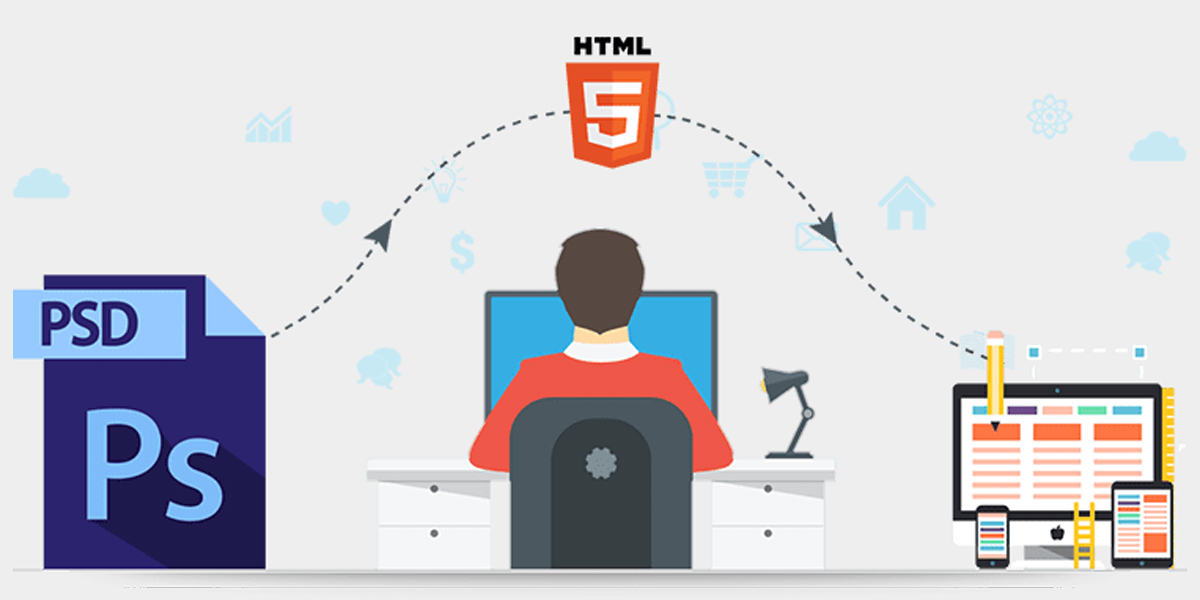
PSD stands for Photoshop document and the process of converting this file to an HTML document is known as PSD to HTML conversion. In Layman’s terms, graphic designers will use a tool like photoshop to create their designs and when the layout of the website is finalized, the development team will create the desired layout using HTML and CSS.

Why PSD to HTML?

PSD being a photoshop document may not be compatible with different browsers whereas HTML works perfectly fine on all browsers. PSD documents that are on the web cannot be recognized by search engines because the search engine crawler cannot identify them. This leads to our inability to do Search Engine Optimization(SEO). An in-depth description of the advantage and disadvantages of PSD to HTML will be discussed later.

Advantages:

  • CSS makes it easier to create the image assets such as creating shadows, gradients, and CSS and HTML work together.
  • PSD to HTML makes the site more responsive i.e website will be displayed properly on all devices regardless of their resolution.
  • Pixel-perfect designs can be made with HTML and CSS.
  • Customizing will get easier and the websites will load faster.
  • Code can be optimized using Search engine Optimization techniques.
  • As google indexes, the website made up of HTML, the reach of websites will grow.
  • HTML is compliant with W3C standards.

Disadvantages:

  • Too much work. The work gets doubled because of the design-to-code process.
  • Most front-end developers can work on HTML and CSS, so photoshop becomes unnecessary.

How much time does it take to convert PSD to HTML?

There are a few factors to consider before predicting the time required to convert PSD to HTML.

  • Website type: Depending upon the type of website, conversion of PSD to HTML can vary. For instance, normal business sites are less time-consuming than full-fledged eCommerce sites.
  • Quantity of web pages: Websites come in all shapes and sizes. The higher the number of web pages, the more time is required to convert these pages into HTML documents and vice versa.
  • Complexity: In addition to a number of pages, PSD documents can range in different levels of complexity. Hence, PSD documents with high complexity result in more time consumption.

What are the ways to convert PSD to HTML?

  • Manual coding
  • With the help of a PSD conversion company
  • Automated tools

Steps To Follow:

1. Analyze the Photoshop documents: Before you start the process, make sure to analyze the PSD document and finalize the design with the customers. Otherwise, you will have to redo the conversion every time a minor change is required in the layout.
2. Identify different components of the webpage :

  • Logo: The logo in general lives in the header of the website.
  • Header: As the name suggests, it is the top section of a website. In general, it contains a logo, tagline, animations, navigation menu, and sliders.
  • Body: The body section contains the content of the website. Mostly it is in textual format.

Hence, we need to make sure that all these components are well-placed in the right positions without hindering the look and feel of the website.

3. Slicing: Slicing refers to the breaking of a single PSD file into multiple small images. This helps the website load much faster. Slicing in photoshop can be done using:

  • Normal
  • Slices from Guides
  • Fixed Size
  • Fixed Aspect Ratio

After Slicing, save the file as “Save for the web” in photoshop.

4. Create the required directories: To organize the files, create directories.

  • Create a root folder or the main folder with the website name.
  • Create a folder named images under the main folder. Here, images can be stored for the website.
  • Create a folder named CSS. All the CSS files will be placed here.

5. Create the HTML code:
An HTML page can be built with the help of Adobe Dreamweaver or with open-source tools such as Amaya. Create a file using these tools and name it index.html and save this file to the main folder. Afterward, create a CSS file in an editor and style the webpage using font size, font background, font color, the position of images, margins, fieldset, and so on. Finally, link the CSS file to the HTML file.

6. Create JavaScript code for user interaction:
According to your need, make a JS file and link it to the HTML file.

7. Make the website Responsive:
Tweak the CSS file in order to make it more responsive. The website must render correctly on all devices irrespective of its screen resolution. To check the responsiveness of the website, you can use online responsive checker tools. Moreover, you can also use the inspect element option on your web browser. For that you can:

  • Open the website in your web browser.
  • Right-click on the screen and click the “Inspect element” or “Inspect” option. A small section will appear on the screen.
  • In the top right corner of the sub-section that appeared earlier, you can see three dots. Click on the square icons residing on the left of those three dots. Hovering over that icon will display Responsive Design Mode.
  • After clicking, you can choose a different screen resolution or display for different devices in a drop-down menu.

Author : Anurag Pokhrel

What is Cloud Computing? Some benefits of Cloud Computing

If you want to learn about basic cloud computing and some benefits of cloud computing. Then this blog post will help you to know about some basic cloud computing and its benefits.

What is Cloud Computing?
Cloud is generally used to describe servers, about the large cloud, data center which is available to many users over the internet. Cloud talk about multiple locations from central servers.
It is simply known as the delivery of cloud computing services to client or person whoever needs it including services like:
1. Servers
2. Networking
3. Software
4. Intelligence
5. Databases

Cloud computing gives flexible resources like people can increase resources whenever they want and decrease resources is known as Scalability.
Clouds are available to a single company or organization which is enterprise clouds or be available to more companies or organizations which is known as the public cloud.

Some benefits of cloud computing

1. Good Performance
Cloud Computing services are run globally which are daily upgraded to the latest version of fast and efficient computing systems.

2. Reliability
Cloud computing gives a good service so cloud computing makes a data backup, data recovery and makes business easier in less expensive.

3. Fast/Speed
Main services of cloud computing services are provided to fast and more flexibility to the users so that users can easily access it.

4. Scalability
Clients can easily scale up and scale down their operation and memory/storage needs quickly change as their needs.

5. Security
About cloud one thing is good that is full-time monitor security and make the backup for each and every change of the client, which is significantly more good and more efficient than a house system.

Author : Rohit Khadgi – Genesis Web Technology

What is WordPress? Some Benefits of using the WordPress Platform

If you are looking for developing your website or blog posts in WordPress. You must know what actually is WordPress. If you are a beginner then this blog post will help you to know about WordPress

What is WordPress?

Table of Contents

  1. What is WordPress?
  2. What is Content Management System?
  3. What are Blog posts?
  4. What are posts in WordPress?
  5. What are Pages in WordPress?
  6. What are the Benefits of using the WordPress Platform?

WordPress is a content management system used to develop and maintain websites which is written in PHP and paired with an MYSQL database.

WordPress provides a web-based user interface for publishing, updating, and designing websites.

If WordPress built-in capabilities or features are not sufficient for your needs, you can install different plug-ins that provide extra features.

If you don’t want to develop your website using WordPress built-in theme then you can install or activate different theme that looks better and give extra features.

What is Content Management System?

A content management system (CMS) is an application or software which is used to manage, creation and modification of digital web content.

Content management systems are typically used for enterprise content management (ECM) and web content management (WCM).

What is a blog post?

The blog post is an entry point where you can write your own article which can be any topic.

It can include content like a form of text, photos, infographics, or videos.

What are posts in WordPress?

Posts are blog content of the website which is listed in reverse order (newest content on top).

Posts contain one title, one content or post descriptions, one featured photo and you can select a category of post.

You can add and edit your posts from the ‘Posts’ menu in your dashboard. Here is how Add New Post screen looks.

What are Pages in WordPress?

Pages are static content page types such as your about us page, privacy policy, contact page, etc.

You can add and edit pages in WordPress from the ‘Pages’ menu in your dashboard. Here is how to Add New Page screen looks like:

What are the Benefits of using the WordPress Platform?

  1. User-friendly Even for Beginners

A WordPress site can be installed and set up and run in some minutes.

WordPress can be installed and freely downloaded through WordPress through WordPress.org.

Even beginners can set up WordPress and make pages and create a new post using WordPress CMS.

  1. WordPress themes offer multiple options

WordPress themes give users to select for the fine appearance and function of the new site. Themes can be previewed live and installed at any time to change the look and layout of your WordPress site.

  1. Plugins give you more Functionality

WordPress provides all the elements needed to create a basic website, but many other users want more specialized functions related to a website specific need. But users can install plugins from the plugins menu.

  1. WordPress Sites Rank High

Searchability is key to ranking high on Google and other search engines. WordPress includes a variety of tools and plugins for optimizing content for SEO (search engine optimization).

  1. WordPress Sites are Mobile Responsive

Your websites need to look good and attractive on any device. WordPress offers a variety of responsive theme designs, and users can also make the static site responsive with plugins and adjustments to theme files.

Let's build together

Ready to transform your business? Let’s discuss your project and create something extraordinary.

Get in Touch
Talk with an expert +977 9851127307
Email us directly info@genesiswtech.com
Visit us at

TJI Building - 4th Floor, Namuna Marg, Babarhamal, Bijuli Bazar, Kathmandu 44600

Our process
1
Discovery call

We discuss your needs and goals.

2
Proposal

Custom solution and timeline

3
Development

Agile development with regular updates

4
Launch

Deployment and ongoing support

×