










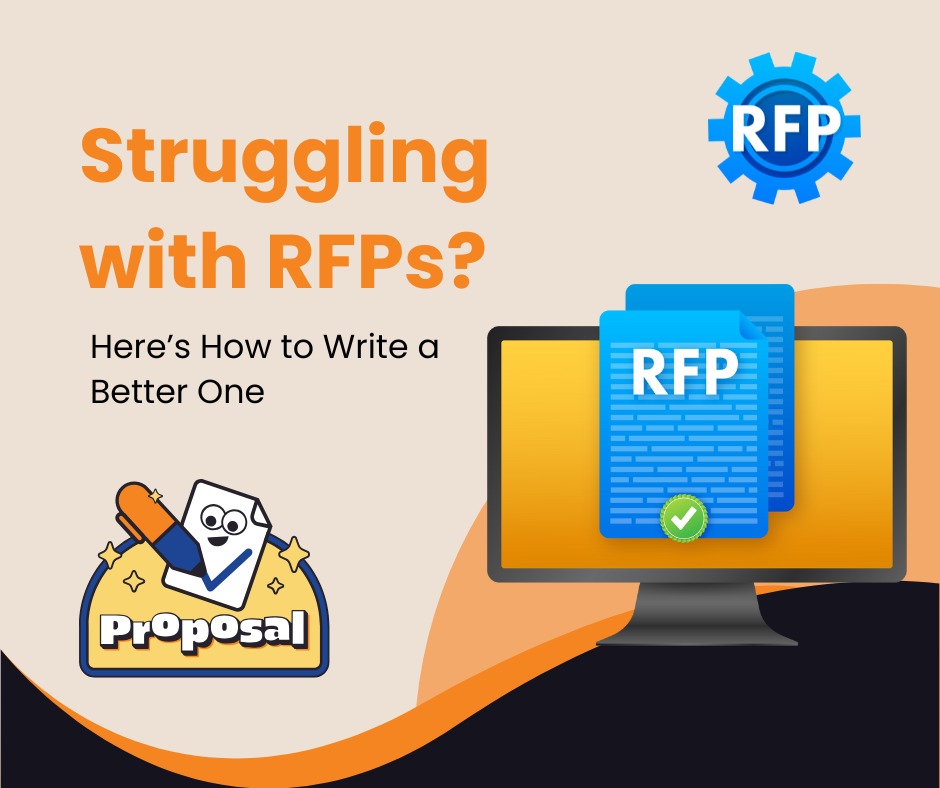
Struggling with RFPs? Here’s How to Write a Better RFPs

A Request for Proposal (RFP) may be essential when looking for a new WordPress firm, mainly if the project is big or complicated.

Not all RFPs are created equal. As your RFP improves, so does your optimism and hope for a successful partnership. A well-crafted RFP can save you time, simplify the process of selecting the right agency, and set the stage for a successful partnership. It’s a powerful tool that can make your agency selection process more efficient and effective.

However, what makes an excellent RFP?

Key Components of a Strong RFP

We are qualified to answer it because we have addressed several inquiries. Continue reading to learn how to draft a fantastic RFP.

An RFP is the most fundamental document you should use to start the search for your perfect agency. The RFP should contain all the details necessary to enable agencies to prove their appropriateness for the project.

Although each may vary somewhat, here are some rough guidelines for what you should include.

Introduction and Background

Potential vendors need to know who they’ll be collaborating with. Seems simple, but context is crucial.

Include details about

  • Who you are?
  • What industry you work in?
  • How big your company is?
  • What area of your company the project pertains to?
  • Who the vendor will be collaborating with on this specific project.

Give the more technical information about who you are, but also make the business come to life by describing your goals, mission, and vision. Also, ask the vendor what version of the future they should believe in for you to succeed.

Objectives

It’s critical to outline the project’s primary goals before you begin crafting your RFP. It must describe your objectives, the results you want to attain, and the issue you intend to tackle with this project. Agencies will be better able to demonstrate that they understand your goals and that their agency is the best fit to assist you in achieving your objectives if you can be more explicit about what you hope to accomplish.

For example:

Instead of saying “We need a nice website”, you should be saying “We need a WordPress website that is optimized, responsive and includes a online booking system for better user conversion rate. ”

Scope of Work

  • What essential features or functions do you anticipate the project to include?
  • Are there any essential components of an existing site that must be kept or moved?

Your conversations with the chosen agency will focus heavily on this topic since they should have suggestions and ideas you hadn’t previously considered. However, if you have a thoughtful perspective on what needs to be developed, you’ll be in a good position to benefit from follow-up discussions. If you have any preferred tools or methods of working, or if there are any particular accessibility or compliance needs to be aware of, you might also wish to share that information.

Success metrics for the project

Setting success metrics is crucial if you want to be sure your new website is producing the outcomes you desire. Try to be as specific as possible. Include any vital website performance, marketing, and business analytics. Be as specific as possible here. Agency assisting you in achieving your goals will be aware of the impact of their contributions across all pertinent areas of attention, including technical, performance, and commercial ones.

Budget

Some projects are too big or too tiny for specific agencies, and that’s okay. If that’s made plain up front, it saves time for everyone. If agencies can do so, including a budget range can also help them better understand limitations and provide options within that price range.

Timelines and Deadlines

Include any desired time frames your team is working with in the paper. Knowing if any crucial project milestones or deadlines must be met along the road is also really helpful. Additionally, if any dates (such as those for product launches, executive reviews, regulatory obligations, etc.) need to be taken into account, that information is also helpful.

Vendor Information

You don’t want to see vendors reply to RFPs that are primarily about themselves. If anything, it’s a warning sign that they aren’t paying enough attention to finding solutions to your difficulties. However, giving responders a voice is crucial so they may share their experiences. It’s a terrific opportunity to gauge how well a possible partner will fit into your culture, and on a more practical level, it’s crucial to get a sense of how they operate.

Selection criteria

The selection criteria you’ll use to assess bids should be clearly stated. This might involve experience, technical know-how, or the agency’s project management methodology; most likely, it will combine these and other factors. Include specific information about your method of limiting the list of potential bidders in the RFP. All of this aids organizations in determining where to focus their efforts and the likelihood of a favorable match.

Questions

Ensure that your RFP includes a section or procedure where vendors may raise questions about it. This will allow vendors to submit the most precise offers possible, and any ambiguities or miscommunications will be cleared up.

(Note: To minimize delays, it would be prudent to anticipate that this work would be substantial and budget time to handle any back and forth promptly and comprehensively. To expedite talks and prevent drawn-out, tedious email reply chains, you can join or use apps like Slack or Teams.

RFP process

Ensure everyone is fully committed to the RFP process. Clear expectations, communication channels, and timelines are key to success. This ensures that the process is carried out promptly and gives agencies clear guidelines on participating, fostering a sense of commitment and engagement.

Conclusion:

Writing a strong RFP isn’t just about listing requirements—it’s about setting the foundation for a successful and productive partnership. A well-structured RFP ensures clarity, attracts the right vendors, and ultimately leads to a project that aligns with your vision.
Best web design tools

What is Web designing and which one to choose?

Web designing, a part of Software Development Life Cycle(SDLC) is one of the starting phases when building a website. There are ample amount of tools that help a designer design websites easily. These tools can be paid, free or both but no single tool can cover all of your requirements. So, in case you are planning on buying a license for that tool, you have to choose one carefully. So, we are going to see what the major tools of web designing are and which one might fit your needs in the next section.

Are you looking for the best web design company in Nepal?

If web designing and development is what you want, genesis is more than ready to provide you with the best team and continuous effort in Nepal. At genesis, our team of hardworking and creative individuals work together as a team and create a desired product.

List of best web design tools:

  • Figma : Figma is not an old tool in the list but because of its fast design process and easy to use nature, it tops the list.
    * Cost : Free to $45
    * Availability : Windows, Mac, Linux
    * Rating : 4.8/5
    Figma is the best collaborative wireframing tool for beginners. Figma contains all the features that Adobe XD     and Sketch possess. It offers designers to work simultaneously on a single project and version history is also       available in case you want to roll back changes. Other major features of Figma includes: prototyping tools, ease of use, vector-based  interface and so on.

                                     Best web design company in Nepal


  • Sketch : Sketch aims to create designs easier, quicker and has minimal UI which gives it a cleaner look. Despite it’s simple UI, more features can be added to it using plugins.
    * Cost : 9$ per editor, free 30-days trial
    * Availability : Mac
    * Rating : 4.5/5
    Sketch is intuitive and easy but it’s prototyping feature is nowhere near as good as that of Figma. Support only for Mac has definitely limited the number of users Sketch could have. With Sketch you can create pixel-perfect designs because of its amazing zoom feature. So, if you are an absolute begineer and own a mac, Sketch can be a great tool to start with.

web development in Nepal

  • Adobe XD : If you have any experience with Adobe products in the past, chances of you loving XD is high. Adobe released XD in 2019 as full fledged vector-based tool for web design.
    * Cost : $9.99 per month, free 7-day trial
    * Availability : Windows and Mac
    * Rating : 4.4/5
    XD has support for auto-animation, prototyping, non-static interactions, sharing tools for feedback and so on. XD also works fine with other Adobe products like Photoshop, Illustrator and even Sketch files. Some find Adobe a bit bloaty and it definitely has a steep learning curve. Hence, it might be overwhelming for beginners or even for experienced ones to get a hang of using XD.

web development in Nepal

  • Adobe PhotoShop : This is undoubtedly one of the most famous design tools worldwide that has been in the game for decades. If you are looking for a tool that does it all, it is perfect. It was originally made with a purpose of editing images only but it later evolved into a tool with feature like interface design, video editing and many more.
    * Cost : 20$ per month, 7-day free trial
    * Availability : Mac, Windows
    * Rating : 4/5
    Despite of it’s popularity, other tools have successfully outshined Photoshop. The learning curve of Photoshop is steep just like other Adobe products because of the large number of tools Photoshop offers. If you want to be updated with the trends of web design, other tools might suit you.

best web development company in nepal

  • GIMP : If you are a fan of open-source tools, GIMP might suit you. It is a raster graphics editor for image manipulation, editing and transcoding different file formats.
    * Cost : Free
    * Availability : Windows, Linux, Mac
    * Rating : 4/5
    GIMP has an interface that looks and feels really old but don’t let that mask it’s powerful underlying features. GIMP can pretty much do everything Photoshop can do. It’s free but it comes with a very steep learning curve which will take a lot of time and effort to make some eye-catching designs with it.

  • balsamiq : Are you the type of person who just wants to make designs rapidly for user interfaces? If yes, this tool might be best suited for you. It’s wireframing feature can quickly help us share our interfaces to the customers.
    * Cost : $9 to $199 per month
    * Availability : Windows, Mac
    * Rating : 4.1/5
    It has a very low learning curve, beginner friendly and intuitive UI. It’s easy drag and drop feature can help you complete your task in no time. Balsamiq cloud is something that can come in handy if you want to save your files in cloud. Overall, balsamiq can be a good starting point for beginners and experienced ones.

best web design company in nepal

  • Canva : This tool is beginner-friendly and useful for people who just want to start designing as a part-time job or as a hobby. From color correction to creating blur background, canva is extremely handy.
    * Cost : Free and paid
    * Availability : Web
    * Rating : 4.1/5
    The best use case for Canva is to make invitation cards, flyers, business cards, social media marketing posts, ads, etc. With the availability of beautiful templates and drag and drop feature desgining can be done within no time. The photo editing feature is really easy and even a person with no knowledge of photo-editing in the past can learn without any help.

best mobile application developmet in nepal

  • Invision studio : Invision studio is one of the best tools for interface design and prototyping that has recently stepped into the battle of top web designing tools.
    * Cost : Free and Paid
    * Availability : Mac, Windows
    * Rating : 4.0/5
    Invision Studio is a mixed bag that contains a lot of features similar to other tools. It has almost all the features that Photoshop and Sketch are equipped with. It started as a cloud-based prototype service but now has its own powerful tool known as Studio. Along with Prototyping, Invision can handle animations and transitions really well.

best SEO company in Nepal

  • Framer : Last but not least, Framer made our list beacuse it’s easy to get started and offers useful features. It was started as a JavaScript Library and a toolset for protyping but has transformed into one of the most dominant tool available.
    * Cost : Free to $23 per month
    * Availability : Windows and Mac
    * Rating : 4.0/5
    Framer is famous for its prototyping, responsive design, templates and cutting-edge animations. Moreover, it’s integration with React is really smooth. It keeps everyone connected and when code changes, so does design. Hence, it really simplifies the transition of design to production-ready code.

top IT company in nepal


Author : Anurag Pokhrel

Let's build together

Ready to transform your business? Let’s discuss your project and create something extraordinary.

Get in Touch
Talk with an expert +977 9851127307
Email us directly info@genesiswtech.com
Visit us at

TJI Building - 4th Floor, Namuna Marg, Babarhamal, Bijuli Bazar, Kathmandu 44600

Our process
1
Discovery call

We discuss your needs and goals.

2
Proposal

Custom solution and timeline

3
Development

Agile development with regular updates

4
Launch

Deployment and ongoing support

×